PNG vs JPG : What’s the Difference and Which Should You Use?
PNG and JPG are two of the most common image formats used on websites, social media, and digital devices. Although both can display high-quality images, they handle compression, file size, transparency, and image detail differently.
Choosing the right format can improve image quality, reduce loading times, and make files easier to manage.
Lossless vs Lossy Compression
The biggest difference between PNG and JPG is how they compress image data. There are two types of image compression methods: lossy and lossless.
PNG uses lossy compression, while JPG uses lossless compression. Lossy compression reduces file size by discarding image information deemed less important or difficult for the human eye to perceive. In contrast, lossless compression reduces file size without losing any information.
PNG uses lossless compression. This means the image is compressed without permanently removing image data. When the file is opened again, the original visual information is preserved.
Because of this, PNG works well for images that require sharp edges and precise details such as Logos, Icon, Screenshots, Illustrations, Interface elements and Graphics containing text.
JPG uses lossy compression that reduces file size by permanently removing some image information. The compression is designed to remove details that are less noticeable to the human eye.
For photographs, the difference may be difficult to notice at moderate compression levels. However, repeatedly saving or heavily compressing a JPG can introduce visible artifacts, such as blurry edges, blocky areas, or loss of fine detail.
File Sizes
JPG files are usually smaller than PNG files, especially for photographs.
A photograph may contain millions of colors, gradients, shadows, and small variations in texture. JPG compression handles this type of information efficiently, making it possible to significantly reduce the file size while maintaining acceptable visual quality.
PNG files are often larger because their lossless compression preserves more image data.
For websites, file size matters because larger images can increase page loading times and bandwidth usage. If transparency or extremely sharp details are not required, JPG is often the more efficient choice for photographic content.
Transparency
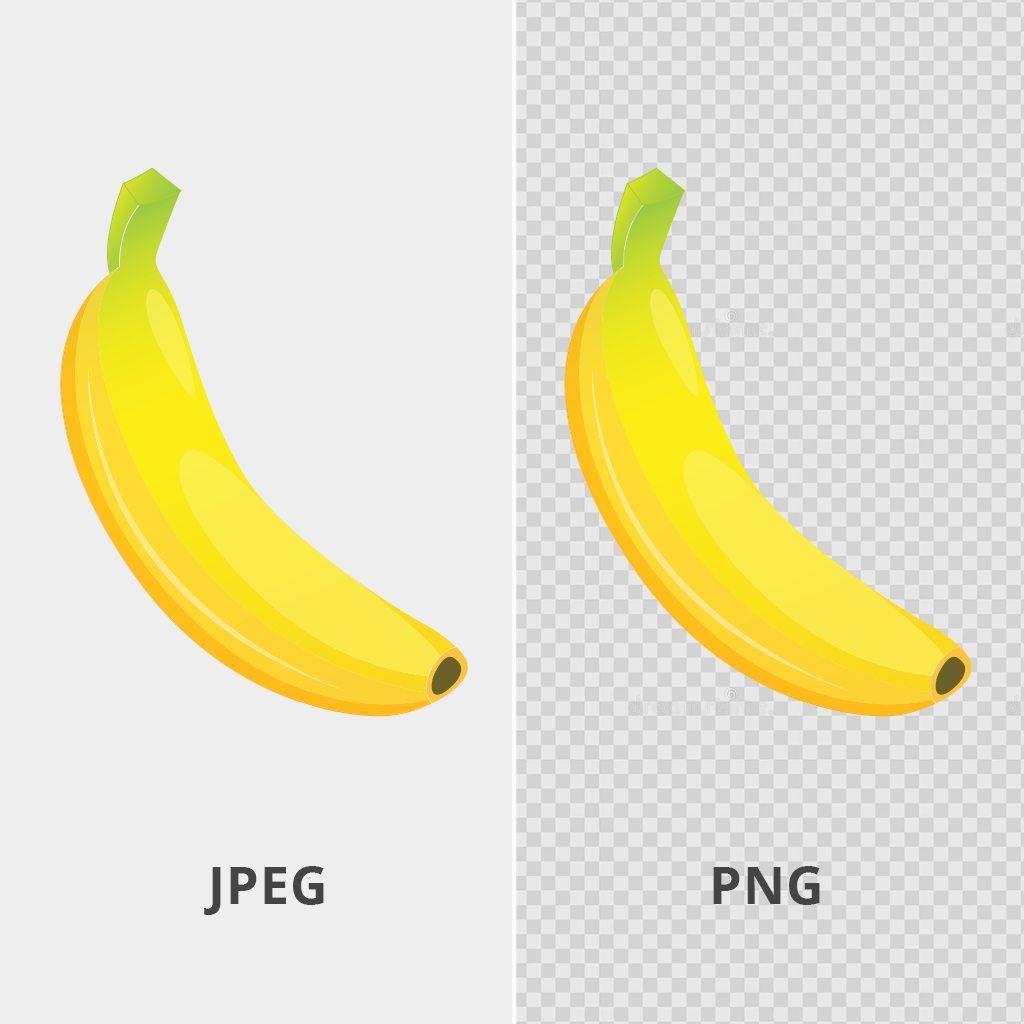
One major advantage of PNG is its support for transparency.
A PNG image can contain transparent or partially transparent areas. This makes it useful for logos, product graphics, icons, and other visual elements that need to appear on different backgrounds without displaying a solid rectangular background.
JPG does not support transparency. Every JPG image must have a complete background.
For example, if a company logo needs to appear on both white and dark sections of a website, a transparent PNG is usually more practical than a JPG.
Digital Photos vs. Web Graphics
The type of image is one of the easiest ways to decide between PNG and JPG.
JPG is generally better for digital photographs. Photos usually contain complex colors, lighting, gradients, textures, and natural details. JPG compression can reduce these images to relatively small file sizes without creating an obvious difference in quality when appropriate compression settings are used.
Typical JPG uses include Product photography, Travel photos, Portraits, Blog images, Background photographs and Social media photography.
PNG is generally better for web graphics. Graphics often contain flat colors, sharp lines, text, geometric shapes, and clearly defined edges. JPG compression can make these elements look blurry or produce visible artifacts around them.
Typical PNG uses include Logos, Icons, Infographic, Screenshots, Charts and diagrams, UI elements and Graphics with transparent backgrounds.
Image Quality After Editing
Due to the type of compression used, PNG preserves the original image, resulting in a sharper and clearer picture compared to JPG. The JPG format slightly alters colors, creating a subtle blurriness that is perceptible to the human eye.
PNG is also better when an image needs to be edited and saved multiple times.
Because PNG uses lossless compression, saving the file again does not introduce the same type of compression damage associated with JPG.
JPG files can gradually lose quality when repeatedly edited and re-exported using lossy compression. For this reason, it is better to keep an original high-quality source file and create JPG copies only when needed for distribution or web use.
Color and Visual Complexity
JPG performs particularly well with images that contain complex color transitions, such as skies, skin tones, shadows, and photographic backgrounds.
PNG is more efficient for images with simpler visual structures, especially graphics containing large areas of the same color.
Using PNG for a large photograph may result in an unnecessarily large file. Using JPG for a simple logo or text-heavy graphic may create unnecessary compression artifacts.
Which Format Should You Choose?
The choice mainly depends on the type of image and how it will be used. Choose PNG when you need Transparent backgrounds, Sharp text or edges, Logos and icons, Screenshots, Lossless image quality and Graphics that may be edited repeatedly.
JPG is good choice when you need Smaller file sizes, Digital photography, Product or lifestyle images, Images with many colors and gradients and faster web delivery for photographic content.
| Feature | PNG | JPG |
|---|---|---|
| Compression | Lossless | Lossy |
| File Size | Usually larger | Usually smaller |
| Transparency | Supported | Not supported |
| Best for Photos | Not usually | Yes |
| Best for Graphics | Yes | Not usually |
| Sharp Text and Lines | Excellent | Can show artifacts |
| Repeated Editing | Better | May lose quality |
Conclusion
Neither PNG nor JPG is universally better. They are designed for different purposes.
Use JPG for photographs and complex images when smaller file size is important. Use PNG for graphics, screenshots, logos, and images that require transparency or precise visual detail.
Choosing the correct format helps maintain image quality while avoiding unnecessarily large files, a small decision that can make a noticeable difference in website performance and visual presentation.
